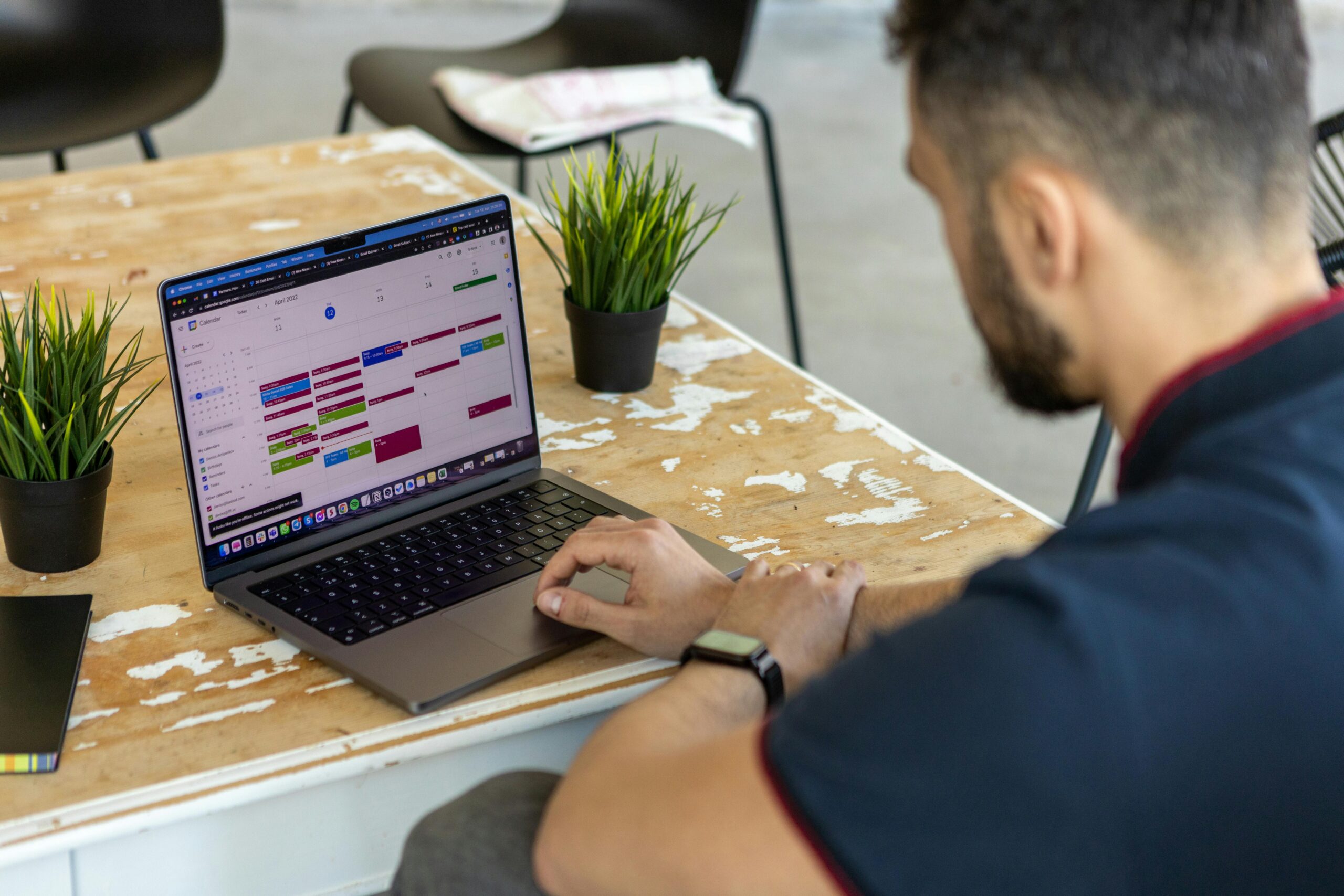
Your timetable runs the school. Your systems should reflect it.
EventEmu connects your Student Information System to Microsoft 365, automatically keeping calendars, Class Teams, and teacher availability aligned with the timetable. No manual entry. No IT tickets. No gap.
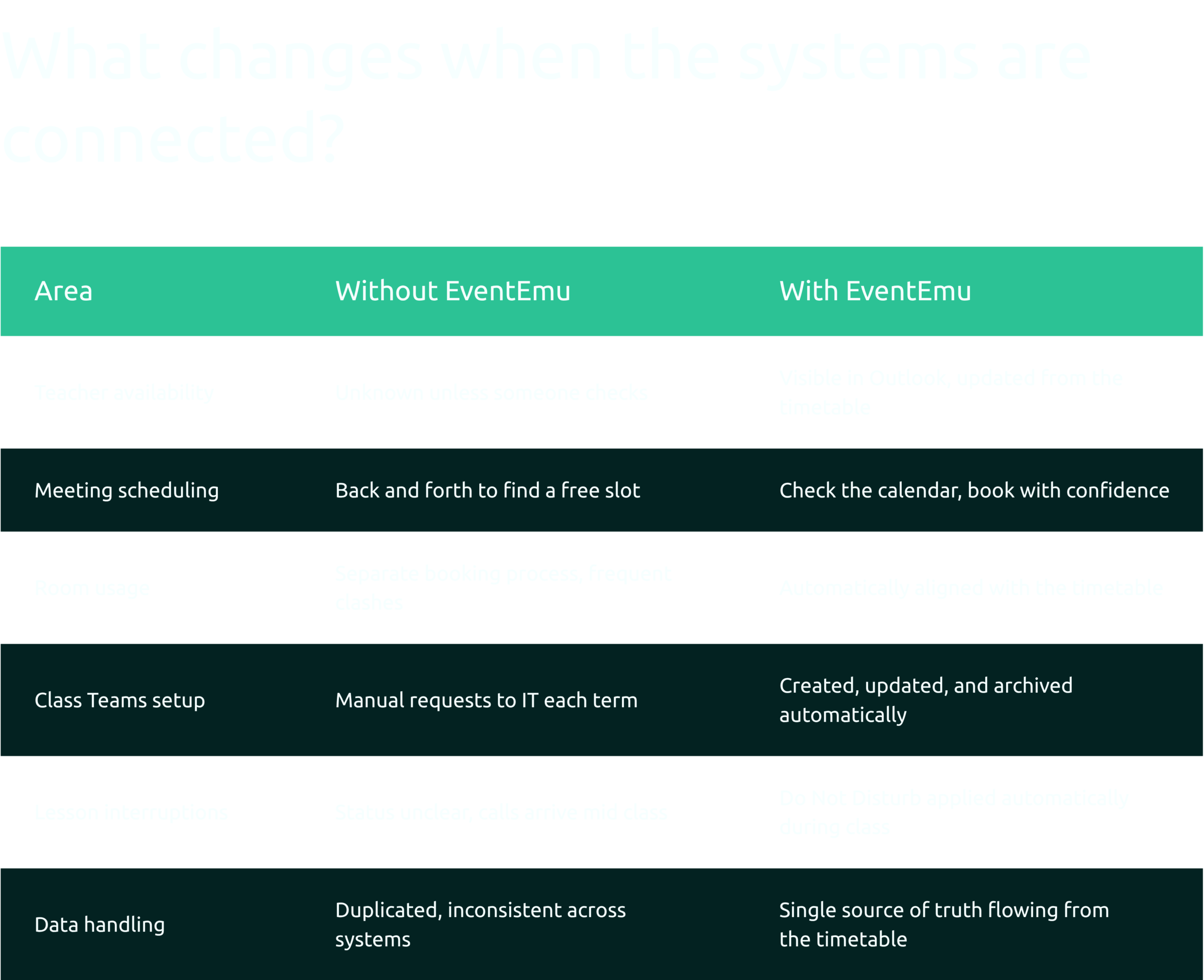
Disconnected systems mean people are filling the gaps.
In most schools, the timetable is the most accurate document in the building. But the working day runs in Microsoft 365, and the two do not talk to each other automatically. That gap is where time disappears.

Hours spent resolving calendar conflicts and room booking errors that stem from timetable data not reaching Outlook.

Term after term, creating, renaming, and archiving Class Teams manually. Dozens of requests. The same task, repeated.

Calls and messages arriving mid lesson because availability is unclear to the people trying to reach them.
EventEmu Closes the Gap, Automatically.
Outlook calendars that match the timetable
Class events created and updated automatically. Teacher availability visible to anyone scheduling around it, without anyone manually entering a thing.
Do Not Disturb during class time
When a teacher is scheduled to teach, EventEmu sets their Teams status automatically. Calls wait. Lessons do not get interrupted.
Automated Class Teams lifecycle
Teams created, updated, and archived from timetable data. No tickets, no manual setup, no end of year cleanup requests to IT.
Room scheduling alignment
Where classrooms are configured as Places in Microsoft 365, rooms are blocked based on the timetable. Double bookings stop happening.
No data leaves your environment
EventEmu runs inside your Microsoft 365 tenancy. No external data storage. Clean for governance, clear for leadership.
Works with your existing systems
EventEmu currently integrates with the following Student Information Systems.

Synergetic

Simon
TASS

FACTS MANAGEMENT
Runs within Microsoft 365. Optional support for Google Calendar and Google Classroom environments. Additional SIS integrations can be scoped on request.
What's New in EventEmu?
Automatic Room Booking Alignment
Where rooms are configured in Microsoft 365 Places, EventEmu can automatically block teaching spaces based on timetable data. This gives staff clearer visibility of room availability and reduces the risk of bookings drifting away from the timetable.
Online Meeting Creation
Online meeting links can be created automatically from timetable events, reducing manual setup for staff and helping online sessions stay aligned with scheduled classes or events.
Automatic Team Recovery
If a timetable-driven Class Team is accidentally deleted, EventEmu can automatically recreate it during the next synchronisation cycle, reducing avoidable support requests and helping ICT teams maintain consistency.
A Clearer School Day
Together, these enhancements help schools reduce manual coordination, protect teaching time and keep Microsoft 365 aligned with the timetable that already runs the school.
From first conversation to live system, in just a few weeks.
Step 1. Book a demo
See EventEmu running against a real timetable. Ask questions specific to your systems and setup. No obligation.
Book a DemoStep 2. Run a pilot
Up to 10 staff for one month. No cost until you are confident it works for your school.
Start a PilotStep 3. Full implementation
Confirm staff count and scope. Our team configures everything. Billing begins once the pilot is complete and you are ready to proceed.